A single 20 MB HTTP request can effectively stall a Django server for 1 minute (CVE-2026-33033)
A deep dive into CVE-2026-33033, a pre-auth CPU exhaustion issue in Django's multipart parser triggered by base64 file parts made mostly of whitespace.


Hello, I’m Seokchan Yoon. It has been a while since I last wrote a 1-day review post.
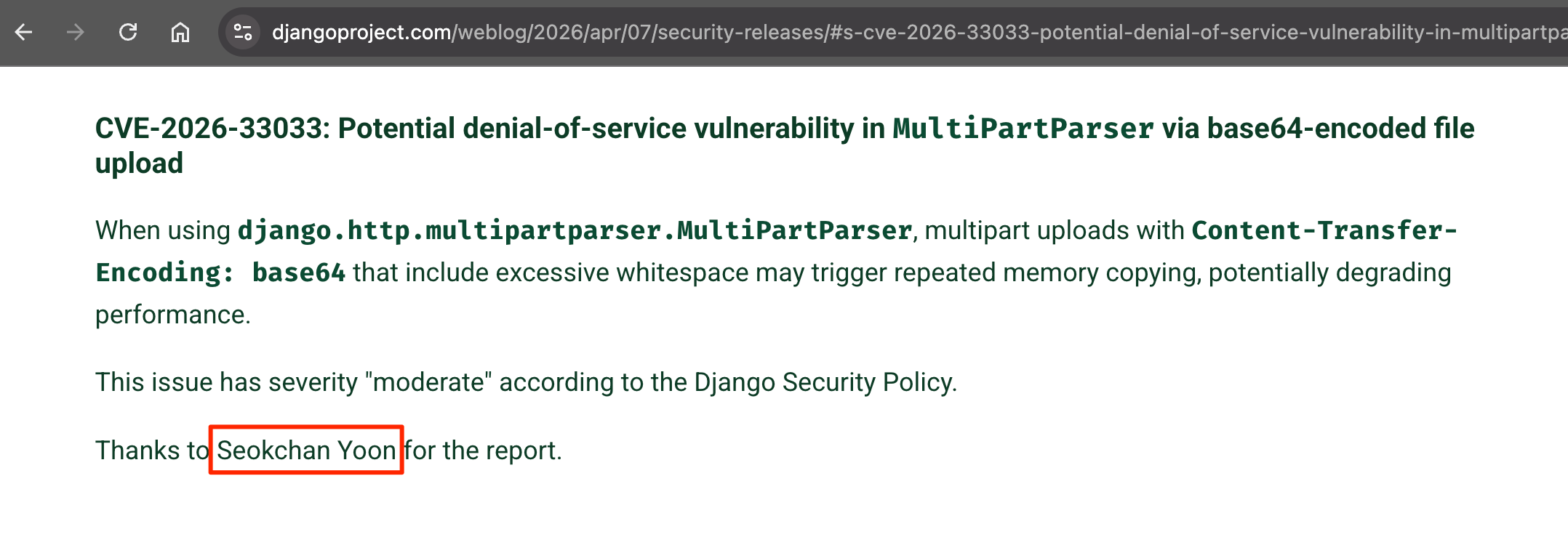
A security issue I recently found in Django has now been disclosed and assigned CVE-2026-33033, so I’m publishing this write-up. In this post, I’ll walk through the code pattern that triggers it and how I analyzed the patch applied by the Django team.
In Django’s
django.http.multipartparser.MultiPartParser, when a file part marked with Content-Transfer-Encoding: base64 has a body made almost entirely of whitespace characters such as spaces, tabs, and newlines, the base64 alignment loop repeatedly calls LazyStream.read(1) on subsequent stream bytes. Each LazyStream.read(1) call can internally cause a buffer copy of roughly 64KB. On an Apple Silicon M2 machine, a single request of about 20MB can keep the CPU busy for roughly one minute and make the service unavailable.This is a denial-of-service vulnerability that can be triggered without authentication, even on servers running an otherwise default setup with no application code changes. In practice, many production environments may be exposed.
1/ How Django Turns an HTTP Request Into a request Object
An incoming HTTP request in Django is first wrapped in a request object appropriate for the server interface. In a WSGI environment, Django creates a WSGIRequest; in an ASGI environment, it creates an ASGIRequest. These objects normalize the path, method, headers, and body stream, then expose them through the HttpRequest interface.
On the WSGI side, Django builds the request by reading information from environ.
# django/core/handlers/wsgi.py:56-79
class WSGIRequest(HttpRequest):
    def __init__(self, environ):
        ...
        self.META = environ
        self.method = environ["REQUEST_METHOD"].upper()
        self._set_content_type_params(environ)
        content_length = int(environ.get("CONTENT_LENGTH"))
        self._stream = LimitedStream(self.environ["wsgi.input"], content_length)
On the ASGI side, scope and the already prepared body_file play the same role.
# django/core/handlers/asgi.py:49-108
class ASGIRequest(HttpRequest):
    def __init__(self, scope, body_file):
        self.scope = scope
        self.path = scope["path"]
        self.method = self.scope["method"].upper()
        self.META = {
            "REQUEST_METHOD": self.method,
            "QUERY_STRING": query_string,
            ...
        }
        self._set_content_type_params(self.META)
        self._stream = body_file
The important point here is that request.GET and request.POST are not fully built at request construction time. They are loaded lazily when they are actually used.
request.GET is the parsed result of the query string as a QueryDict.
# django/core/handlers/wsgi.py:85-89
@cached_property
def GET(self):
    raw_query_string = get_bytes_from_wsgi(self.environ, "QUERY_STRING", "")
    return QueryDict(raw_query_string, encoding=self._encoding)
# django/core/handlers/asgi.py:112-114
@cached_property
def GET(self):
    return QueryDict(self.META["QUERY_STRING"])
QueryDict is not just a normal dictionary. It is a specialized data structure for HTTP parameters where the same key can appear multiple times.
# django/http/request.py:558-566
class QueryDict(MultiValueDict):
    """
    A QueryDict can be used to represent GET or POST data.
    It subclasses MultiValueDict since keys in such data can be repeated.
    """
request.POST is more important for this issue. Despite the name, it does not mean “the entire POST body.” It only contains the parsed result of form-oriented content types. On first access, Django runs _load_post_and_files().
# django/http/request.py:427-448
def _load_post_and_files(self):
    if self.method != "POST":
        self._post, self._files = (QueryDict(...), MultiValueDict())
        return

    if self.content_type == "multipart/form-data":
        self._post, self._files = self.parse_file_upload(self.META, data)
    elif self.content_type == "application/x-www-form-urlencoded":
        self._post = QueryDict(self.body, encoding="utf-8")
        self._files = MultiValueDict()
    else:
        self._post, self._files = (QueryDict(...), MultiValueDict())
In short:
- A query string such as
?a=1&b=2is exposed throughrequest.GET. - An
application/x-www-form-urlencodedbody is parsed intorequest.POST. - A
multipart/form-databody goes throughMultiPartParserand is split intorequest.POSTandrequest.FILES. - Other content types, such as JSON, are not automatically placed into
request.POST.
This vulnerability lives on path 3, where MultiPartParser handles a multipart/form-data body.
2/ How Django Handles Multipart File Uploads
When Django receives a multipart/form-data request, MultiPartParser runs the first time request.POST or request.FILES is accessed. In a typical Django setup where the default CSRF middleware is still in place, that middleware internally accesses request.POST to read the CSRF token. As a result, practically every Django server using the default path is structured in a way that can invoke MultiPartParser.
When Django’s CSRF Middleware Consumes request.POST
During the CSRF middleware’s process_view() step, Django already calls request.POST.get("csrfmiddlewaretoken", ""). That means POST data is parsed before the view result is loaded.
# django/middleware/csrf.py:366-368
if request.method == "POST":
    try:
        request_csrf_token = request.POST.get("csrfmiddlewaretoken", "")
In other words, even if the view itself never handles file uploads, and even if CSRF validation eventually fails and returns a 403 response, the multipart body may already have been parsed. This behavior is also why CVE-2026-33033 can affect production servers in a pre-auth state.
3/ Before Diving In: The Stream Pipeline
Django’s multipart parser is not a single simple line of code. It is a stream pipeline with several layers stacked on top of one another. Roughly speaking, it looks like this:
HTTP body
    → ChunkIter (yields 64KB chunks)
    → LazyStream (outer stream, keeps an unget buffer)
    → BoundaryIter (splits by MIME boundary)
    → LazyStream (per-part field_stream, with its own unget buffer)
The chunk size is chosen as the minimum chunk_size among the active upload handlers. In a normal setup using only the default handlers, Django uses FileUploadHandler.chunk_size, which is 64KB.
# django/core/files/uploadhandler.py
class FileUploadHandler:
    chunk_size = 64 * 2**10  # The default chunk size is 64 KB.
That 64KB value effectively determines the character of this vulnerability. The attacker cannot control it. Strictly speaking, the complexity here is O(N × C), where C is a fixed constant. But because that fixed constant is 64KB, the amplification becomes unusually large.
4/ The Vulnerable Code: Three Layers
The essence of this vulnerability is not isolated to a single place. It appears when three layers interact. That is the interesting part: if you inspect each layer by itself, it may look harmless. But once the three layers multiply together, a 2.5MB POST body can cause roughly 86GB worth of internal memory copying.
(Layer 1) The Base64 Alignment While Loop
The trigger is inside MultiPartParser._parse(), in the special branch for base64 transfer encoding.
# django/http/multipartparser.py
for chunk in field_stream:
    if transfer_encoding == "base64":
        # We only special-case base64 transfer encoding
        # We should always decode base64 chunks by
        # multiple of 4, ignoring whitespace.

        stripped_chunk = b"".join(chunk.split())

        remaining = len(stripped_chunk) % 4
        while remaining != 0:                                # problem loop
            over_chunk = field_stream.read(4 - remaining)    # read(1) case
            if not over_chunk:
                break
            stripped_chunk += b"".join(over_chunk.split())
            remaining = len(stripped_chunk) % 4
The intent of this code is reasonable. Base64 must be decoded in 4-byte units, so after removing whitespace from each chunk, if the length is not a multiple of 4, the parser tries to read another 1 to 3 bytes to align it. With normal base64 data, this loop runs only around 0 to 3 times and exits.
The problem appears when the current chunk, after whitespace is stripped, ends as three bytes such as AAA, and the following stream is a long run of whitespace. For example, suppose the full payload has this shape:
b"AAA" + b" " * (128 * 1024 - 4) + b"A"
- The first
for chunk in field_streamiteration handles the first 64KB chunk. - After removing whitespace, that chunk leaves only
b"AAA", soremaining = 3. - The while loop calls
field_stream.read(1). - That call does not reread the chunk that was already returned. It reads the next stream byte.
- If the stream continues with a long run of whitespace, each 1-byte read becomes
b""aftersplit(). - As a result,
stripped_chunkstaysb"AAA", andremainingstays 3. - The whitespace region in the following chunks is therefore consumed one byte at a time.
Once the parser enters the remaining = 3 state, most of the following whitespace bytes cause one read(1) call each. From payloads of 128KB and above, the region after the second chunk is effectively processed byte by byte.
At this point, it is natural to think, “This is inefficient, but shouldn’t read(1) itself be cheap?” I thought the same thing at first. In Django’s internals, however, LazyStream.read(1) is actually an expensive call. That is where the second layer comes in.
(Layer 2) The Hidden O(C) Cost of LazyStream.read(1)
# django/http/multipartparser.py:444-468
def read(self, size=None):
    def parts():
        remaining = self._remaining if size is None else size
        ...
        while remaining != 0:
            try:
                chunk = next(self)              # returns the entire _leftover buffer (~64KB)
            except StopIteration:
                return
            else:
                emitting = chunk[:remaining]    # slices only 1 byte
                self.unget(chunk[remaining:])   # pushes the remaining ~65,535 bytes back
                remaining -= len(emitting)
                yield emitting

    return b"".join(parts())
Here, next(self) is LazyStream.__next__(). In this attack path, it usually returns the entire internal leftover buffer at once.
# django/http/multipartparser.py:470-484
def __next__(self):
    if self._leftover:
        output = self._leftover       # returns the entire buffer (~64KB)
        self._leftover = b""
    else:
        output = next(self._producer)  # fetches the next chunk
        self._unget_history = []
    self.position += len(output)
    return output
So in this attack path, a read(1) call usually does this:
next(self)returns the entire_leftoverbuffer, about 64KB.chunk[:1]takes only one byte from it, which is O(1).chunk[1:], about 65,535 bytes, is pushed back withunget(). This is the vulnerable code pattern.
Each read(1) call creates a new slice of roughly 65,535 bytes, and most of it goes back into the leftover buffer through unget().
(Layer 3) The O(C) Byte Concatenation in unget()
# django/http/multipartparser.py:498-509
def unget(self, bytes):
    if not bytes:
        return
    self._update_unget_history(len(bytes))
    self.position -= len(bytes)
    self._leftover = bytes + self._leftover   # O(len(bytes)) memcpy
bytes + self._leftover is concatenation that creates a new bytes object. In this path, __next__ often just emptied _leftover, so the concatenation itself is not always the only dominant cost. But the chunk[1:] slice alone already copies roughly 65,535 bytes. The key point is that a tiny read(1) turns into a large buffer copy.
Multiplying the Three Layers
For a single 64KB chunk, the pattern looks like this:
read(1) #1     → unget 65,535 bytes from leftover
read(1) #2     → unget 65,534 bytes from leftover
read(1) #3     → unget 65,533 bytes from leftover
...
read(1) #65535 → unget 0 bytes from leftover (skipped)
The total number of copied bytes is the sum of this arithmetic sequence:
(C - 1) + (C - 2) + ... + 1 + 0 = C(C - 1) / 2 ≈ C² / 2
When C = 65,536, this is about 2.15 × 10⁹ byte operations for a single 64KB chunk. A 2.5MB input is split into about 40 chunks, so it results in around 86 × 10⁹ byte operations. In other words, a small 2.5MB POST body can make a single HTTP request perform work comparable to 86GB of internal memory copying.
5/ There Was Already Defensive Code Inside unget()
If you look back at the unget() snippet, there was already a line like this:
self._update_unget_history(len(bytes))
So Django was already aware of the question: “If unget() repeats abnormally, could the parser be stuck somewhere?” That naturally leads to the next question.
Why did this attack pass through that defensive code?
The call relationship makes it easier to understand.
# django/http/multipartparser.py:501-533
def unget(self, bytes):
    if not bytes:
        return
    self._update_unget_history(len(bytes))
    self.position -= len(bytes)
    self._leftover = bytes + self._leftover

def _update_unget_history(self, num_bytes):
    """
    Update the unget history as a sanity check to see if we've pushed
    back the same number of bytes in one chunk. If we keep ungetting the
    same number of bytes many times (here, 50), we're mostly likely in an
    infinite loop of some sort.
    """
    self._unget_history = [num_bytes] + self._unget_history[:49]
    number_equal = len(
        [
            current_number
            for current_number in self._unget_history
            if current_number == num_bytes
        ]
    )

    if number_equal > 40:
        raise SuspiciousMultipartForm(...)
The design intent is clear: if unget() keeps pushing back the same number of bytes, Django treats it as an abnormal state and raises an exception.
Looking only at the code, you might think, “Then shouldn’t this check stop the attack?” The key is that the check only catches exact repetition of the same byte count. In this attack, the unget() size changes on every call.
read(1) #1 → unget(65535)   ← unique
read(1) #2 → unget(65534)   ← unique
read(1) #3 → unget(65533)   ← unique
...
The sequence monotonically decreases by one on every call, so number_equal is always 1. The sanity check therefore never triggers. At the next chunk boundary, the first unget() of the new chunk resets to 65,535, but the previous 49 entries are small values such as 50, 49, 48, ..., 1, with 0 skipped. So number_equal = 1 still holds.
In other words, the issue is not that the defensive code did not exist. It is that the input pattern did not match the pattern the defense assumed. There was clearly logic intended to catch this kind of parser abnormality, but an input pattern existed that bypassed that assumption.
6/ Measurements
To make the impact more concrete, here are the measurements from my PoC. I ran the test on a normal laptop with Django’s default settings, and the final measurement used a sample payload of about 2.5MB.
A) Attack Payload (Content-Transfer-Encoding: base64 + AAA + whitespace + A)
| Input size | Processing time | Ratio vs. previous size |
|---|---|---|
| 65,536 | 0.63 ms | — |
| 131,072 | 135.80 ms | 217× |
| 262,144 | 400.14 ms | 2.95× |
| 524,288 | 939.24 ms | 2.35× |
| 1,048,576 | 2,011.59 ms | 2.14× |
| 1,572,864 | 3,114.75 ms | 1.55× |
| 2,097,152 | 4,207.88 ms | 1.35× |
| 2,621,440 | 5,323.54 ms | 1.27× |
The sudden 200× jump between 65KB and 128KB is the important part. In the 65KB payload, the final A still fits inside the same chunk, so stripped_chunk = "AAAA", which is 4 bytes, and remaining = 0. From 128KB onward, the first chunk ends as AAA, and the whitespace in later chunks begins to be consumed through the read(1) path.
B) Control 1: Same Size, Normal Base64 Data
| Input size | Processing time |
|---|---|
| 2,621,440 | 4.81 ms |
C) Control 2: Same Payload, No Content-Transfer-Encoding Header
| Input size | Processing time |
|---|---|
| 2,621,440 | 2.49 ms |
Amplification Ratio
Attack:   5,323.54 ms
Control:  2.49 ms
Ratio:    ~2,138×
That is more than 2,000× amplification. Because this path is automatically triggered by the CSRF middleware before the request reaches the view, even an endpoint that would otherwise require authentication can spend five seconds in the CSRF parsing stage. In a typical gunicorn setup with 4 to 16 workers, only 4 to 16 concurrent requests can effectively stall the service.
D) Measurements With Larger File Upload Sizes
The table above used sample payloads up to about 2.5MB. Real file upload endpoints often allow larger request bodies, so I also ran the same attack payload with larger sizes on my MacBook Air M2.
The measurement environment was the same. I restored only the vulnerable pre-patch _parse() path at runtime in the current source tree and benchmarked it. In other words, these numbers show how long the vulnerable path takes when restored in the current Django tree.
| Payload size | Attack path (Content-Transfer-Encoding: base64) | Control (same payload, no CTE) | Amplification ratio |
|---|---|---|---|
| 1.25 MiB | 3.489 s | 1.636 ms | 2,132.30× |
| 2.5 MiB | 7.187 s | 2.863 ms | 2,510.57× |
| 5 MiB | 14.635 s | 5.044 ms | 2,901.15× |
| 10 MiB | 31.075 s | 9.564 ms | 3,249.03× |
| 20 MiB | 60.173 s | 16.726 ms | 3,597.50× |
| 40 MiB | 127.079 s | 33.063 ms | 3,843.57× |
As you can see, the time increases almost linearly. Once the payload passes 10MB, a single request can take more than 30 seconds. At 40MB, it holds one process for more than two minutes. Even with a multi-process server, only a few concurrent uploads can exhaust capacity quickly.
An important question here is: “Won’t the reverse proxy block this automatically?” In real production environments, it is not that simple.
- Apache httpd’s default
LimitRequestBodyis currently 1GB, and in versions 2.4.53 and earlier, the default was unlimited. - Nginx’s default
client_max_body_sizeis 1MB, but it is very common to raise this value for locations that handle file uploads. - For endpoints that legitimately need to accept file uploads, the reverse proxy or web server request body limit is likely already relaxed to match application requirements.
So this is not something to dismiss with the assumption that the web server will cut off the body by default. If a service supports file uploads, the right fix is to update Django itself, regardless of proxy-level limits.
7/ Analysis of the Django Patch
The Django team released a very clean patch.
-                                stripped_chunk = b"".join(chunk.split())
+                                stripped_parts = [b"".join(chunk.split())]
+                                stripped_length = len(stripped_parts[0])

-                                remaining = len(stripped_chunk) % 4
-                                while remaining != 0:
-                                    over_chunk = field_stream.read(4 - remaining)
+                                while stripped_length % 4 != 0:
+                                    over_chunk = field_stream.read(self._chunk_size)
                                     if not over_chunk:
                                         break
-                                    stripped_chunk += b"".join(over_chunk.split())
-                                    remaining = len(stripped_chunk) % 4
+                                    over_stripped = b"".join(over_chunk.split())
+                                    stripped_parts.append(over_stripped)
+                                    stripped_length += len(over_stripped)
+
+                                stripped_chunk = b"".join(stripped_parts)
This patch actually contains three meaningful changes, and each one is worth looking at.
(1) read(4 - remaining) → read(self._chunk_size)
This is the core fix. Instead of reading only 1 to 3 bytes at a time, the parser now reads a full chunk size, typically 64KB, at once. With this change, even a 2.5MB whitespace payload reduces the number of read calls from roughly 2.5 million to about 40. LazyStream.read(self._chunk_size) can return the leftover buffer as a whole and finish, so the 1-byte slice plus 65,535-byte unget pattern disappears entirely.
(2) stripped_chunk += ... → stripped_parts.append(...)
This change also matters. The original stripped_chunk += b"".join(over_chunk.split()) can create a new bytes object on every iteration, so there is no reason to keep that structure.
The root cause of this vulnerability was the read(1) path, but explicitly appending to a list and doing a final b"".join() makes the cost model clearer and the implementation safer. I liked that the patch cleaned up this part at the same time.
(3) len(stripped_chunk) % 4 → stripped_length % 4
This is more than a tiny micro-optimization. It changes the structure so the parser tracks the length of the non-whitespace bytes collected so far as separate state. Even when the stripped pieces are accumulated in stripped_parts and joined only at the end, the parser can still check alignment at each step.
8/ Reflections
I found this vulnerability while using Claude Code and Codex together. It was personally striking to see that a pre-auth DoS path could still exist in Django, a framework that has been refined for almost 20 years.
A single request of around 20MB was enough to create meaningful delay in a single-process server. If you operate a Django service, updating as soon as possible is the right call.
9/ Closing
This was not an extremely difficult finding from a technical standpoint, but it was fun to write up because it was not a one-line bug. It emerged from the multiplication of three layers. The fact that it bypassed an already existing defensive mechanism, _update_unget_history, also made the finding more solid.
I hope this post is useful to anyone interested in multipart parsers or Django internals. Thanks for reading.
Related Links
Antes de elegir entre camisetas de fútbol versión aficionado, merece la pena comprobar el peso del tejido, la ventilación y la elasticidad. Una revisión final debería incluir las instrucciones de cuidado del tejido y los estampados.
- CVE-2026-33033 — Django Security Advisory
- Previous post: How I Found $2,418 Worth of Vulnerabilities with a $5 Prompt
- DEF CON 33 CTF Review
 ch4n3-yoon